Wedding digital product ideas are downloadable templates, tools, or mini-resources that help couples (and wedding pros) plan, organize, or personalize a wedding without needing physical shipping. The simplest default approach is to start with 1 planning product (like a checklist bundle) and 1 personalization product (like editable signage), then build variations once you see what people actually buy.

Wedding Digital Product Ideas That Actually Sell
1. Create A Wedding Planning Checklist Bundle
You give couples a start-to-finish list broken into monthly milestones, so they stop guessing what comes next.
Add a “micro version” too, like a 30-day checklist for short engagements, so you can sell two tiers from one file.
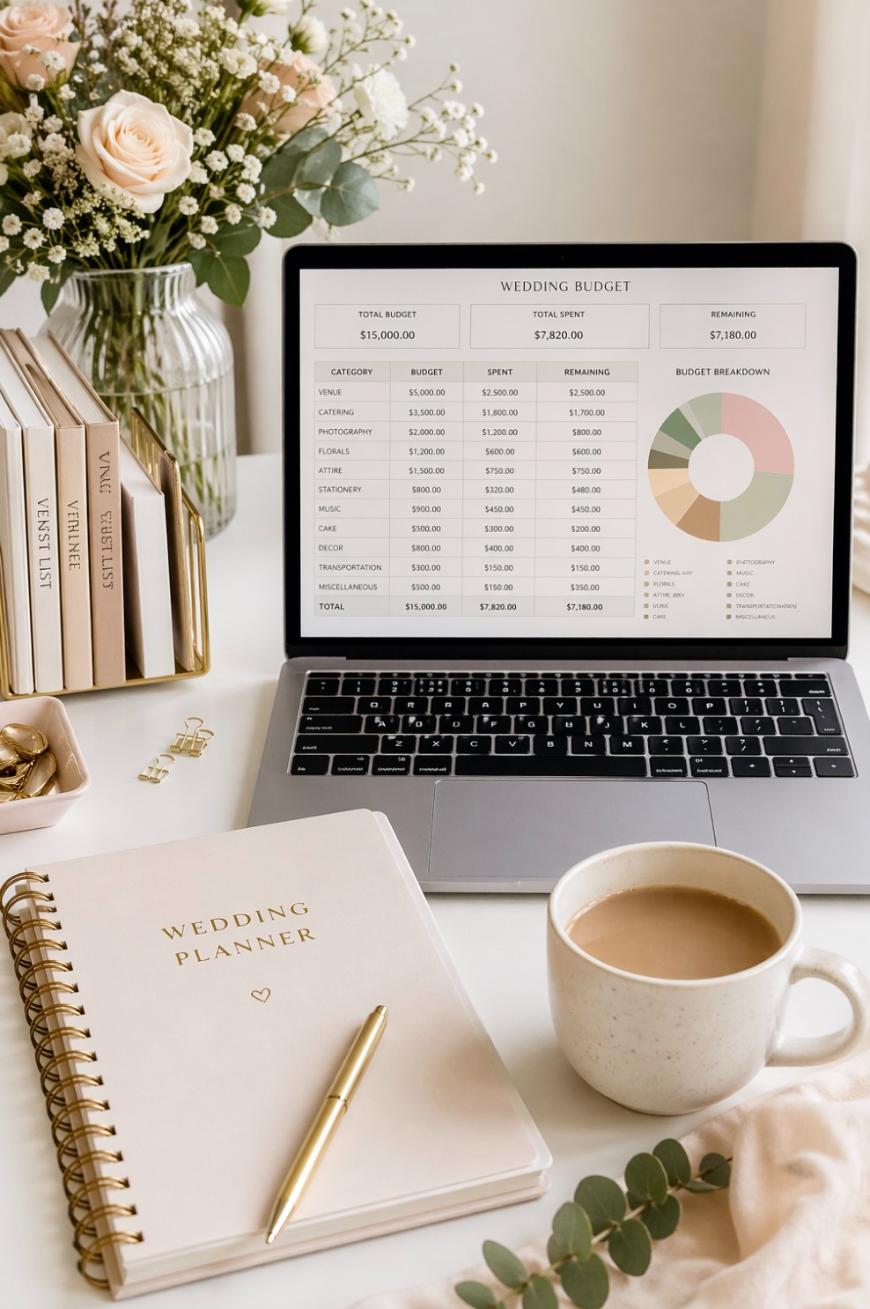
2. Build A Wedding Budget Spreadsheet With Auto-Totals
A spreadsheet that calculates totals, remaining budget, and category percentages solves a real pain point fast.
Include three preset budgets (like $5,000, $15,000, and $30,000) so buyers can pick a starting template in seconds.
3. Make A Guest List Tracker With RSVP Automation Fields
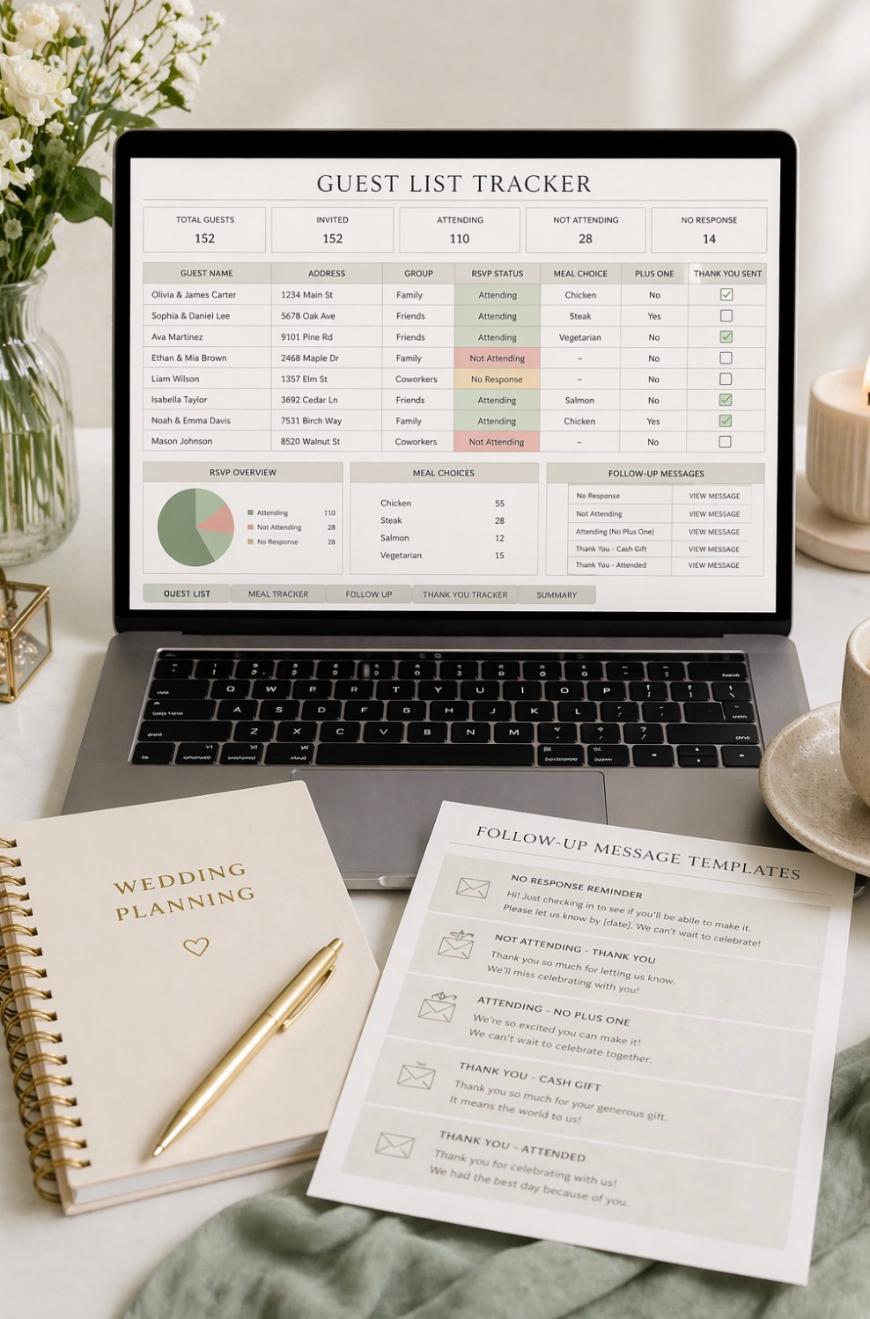
Couples want one place to track addresses, RSVPs, meal choices, plus-ones, and thank-you notes.
Add a tab for “follow-up messages” with pre-written text/email scripts so it feels premium without extra design work.
4. Offer A Seating Chart Builder Template
A drag-and-drop seating template in Canva, Google Slides, or PowerPoint is a huge win for non-designers.
Include 3 table layouts (round, long banquet, mixed) so it works for more venue styles.
5. Design Editable Wedding Invitation Suites
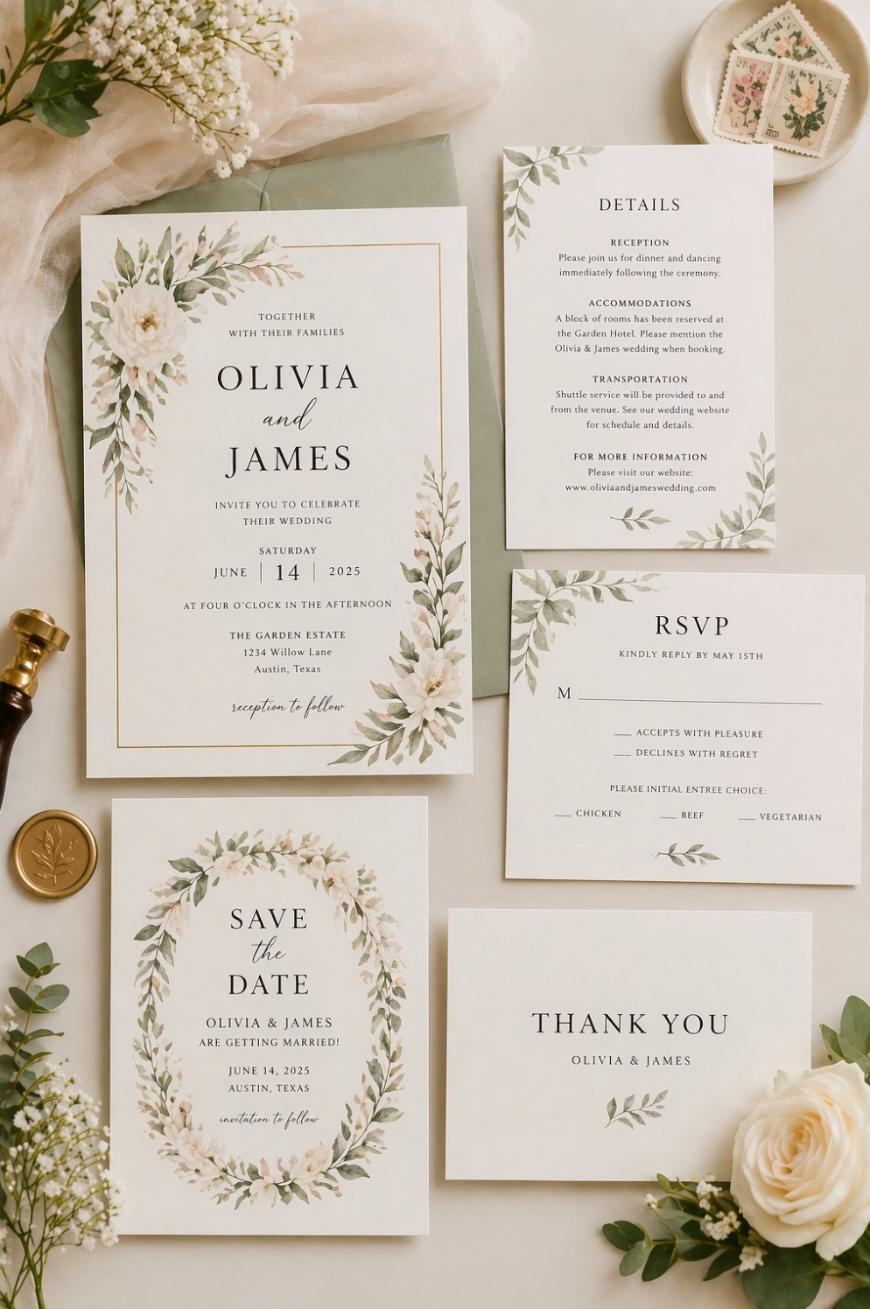
Invitation suites sell because people want cohesive design without hiring a custom designer.
Bundle the suite: invite, details card, RSVP card, save-the-date, and thank-you card in matching styles.
6. Create A “Day-Of Timeline” Template For Couples
This is a one-page timeline that covers hair/makeup, photos, ceremony, cocktail hour, reception beats, and send-off.
Include a vendor version and a wedding party version so the same timeline is formatted for different audiences.

7. Make A Vendor Contact Sheet And Comparison Tracker
A simple tracker that compares pricing, packages, notes, and “next step” status helps couples make decisions faster.
Add a “questions to ask” section under each vendor type (venue, photographer, DJ) so it’s instantly useful.

8. Sell A Bridal Party Planner Pack
Think: who’s paying for what, outfit sizes, hair/makeup schedule, gift ideas, and rehearsal info.
Include a bridesmaid and groomsman version so the couple can use it for both sides.
9. Create Printable Wedding Signs In Editable Format
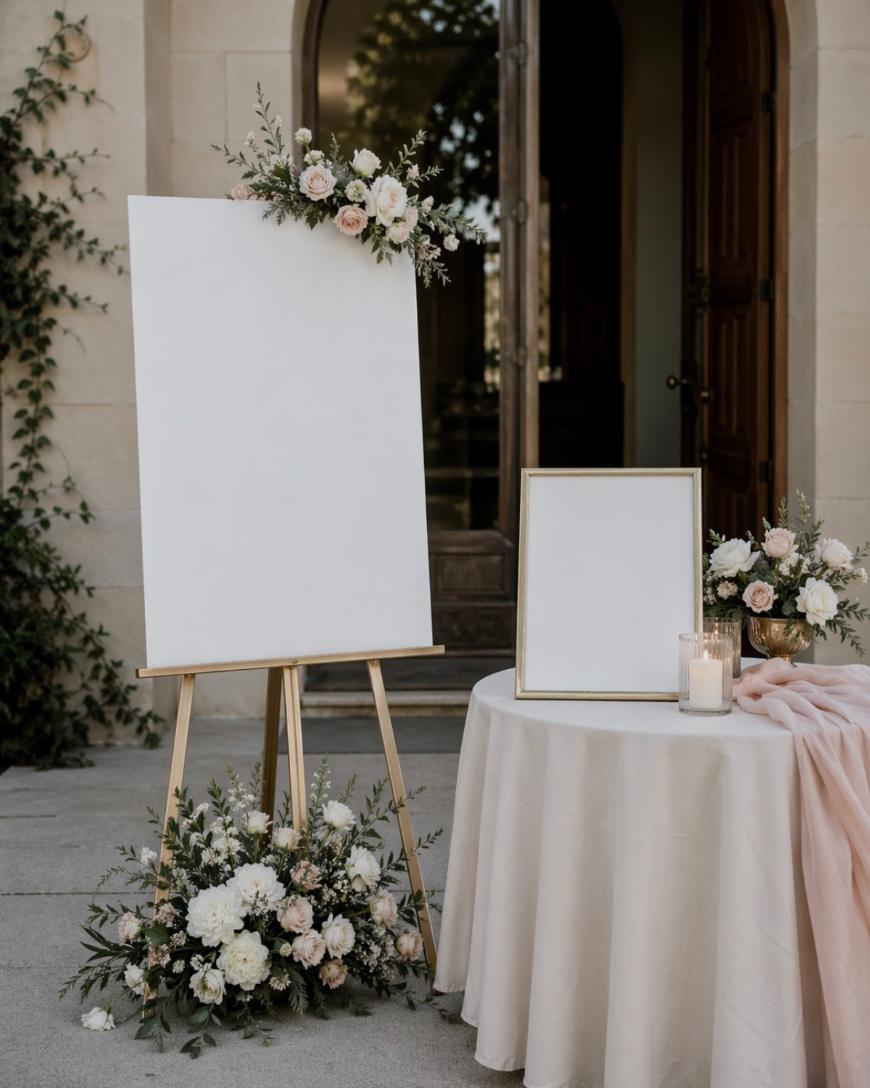
Welcome sign, unplugged ceremony sign, “pick a seat,” bar menu, guest book sign, and gift table sign are evergreen.
Offer 2 sizes per sign (like 18×24 and 24×36) so buyers can print anywhere without resizing headaches.
10. Build A Wedding Ceremony Script Kit
Many couples want a ceremony that feels personal but don’t know how to structure it.
Include 5 short script options (traditional, modern, religious-light, fully secular, micro wedding) plus prompts to personalize.
11. Offer Vow Writing Prompts And Vow Templates
People search for vow help constantly, and a guided fill-in template is an easy purchase.
Include one “short and sweet” template (60–90 seconds) and one “standard length” template (2–3 minutes) for clear expectations.

12. Make A Wedding Photo Shot List Pack
Couples and photographers both benefit from a clean, organized shot list.
Create separate lists for getting ready, ceremony, family formals, couples portraits, reception details, and exit shots.

13. Create A Wedding Music Planning Workbook
This includes ceremony songs, cocktail hour vibe, dinner music, do-not-play list, and key moment songs.
Add a “crowd-pleaser” starter list by genre so couples aren’t building from scratch.
14. Sell A Wedding Favor Tag And Sticker Template Set
Favors are often last-minute, and matching tags make them feel intentional.
Include 3 shapes (circle, rectangle, arch) and 3 themes (minimal, floral, modern) to widen appeal.
15. Offer A Bachelorette Weekend Itinerary Template
Bachelorette planning is stressful, and a clean itinerary reduces group confusion.
Add a budget splitter sheet and packing list so it becomes a full “weekend kit,” not just a pretty page.

16. Create A Bridal Shower Game Bundle
Digital games are easy to deliver, easy to print, and always in demand.
Include 10–15 games in one cohesive design plus an “answer key” page so the host doesn’t need to prep.
17. Build A Wedding Registry Checklist And Tracker
Couples want help deciding what to register for and how to track what’s purchased.
Include a “starter registry list” by category and a tracker that tags items as “must-have,” “nice-to-have,” and “group gift.”

18. Make A Wedding Website Copywriting Template
A lot of couples freeze on wording for the story, FAQs, travel, dress code, unplugged request, and kids policy.
Include plug-and-play text blocks plus “tone options” (formal, casual, funny-light) so it feels customizable.
19. Offer A Reception Games And Moments Planner
This helps couples plan toasts, special dances, bouquet toss alternatives, shoe game, anniversary dance, and late-night snacks.
Add timing suggestions like “keep formalities within the first 90 minutes after grand entrance” for practical guidance.
20. Create A Wedding Bar Menu And Signature Drink Kit
A bar sign plus signature drink cards and ingredient lists makes the bar feel curated.
Include a “his/hers/theirs” version and 6 drink name ideas per style (classic, playful, romantic).
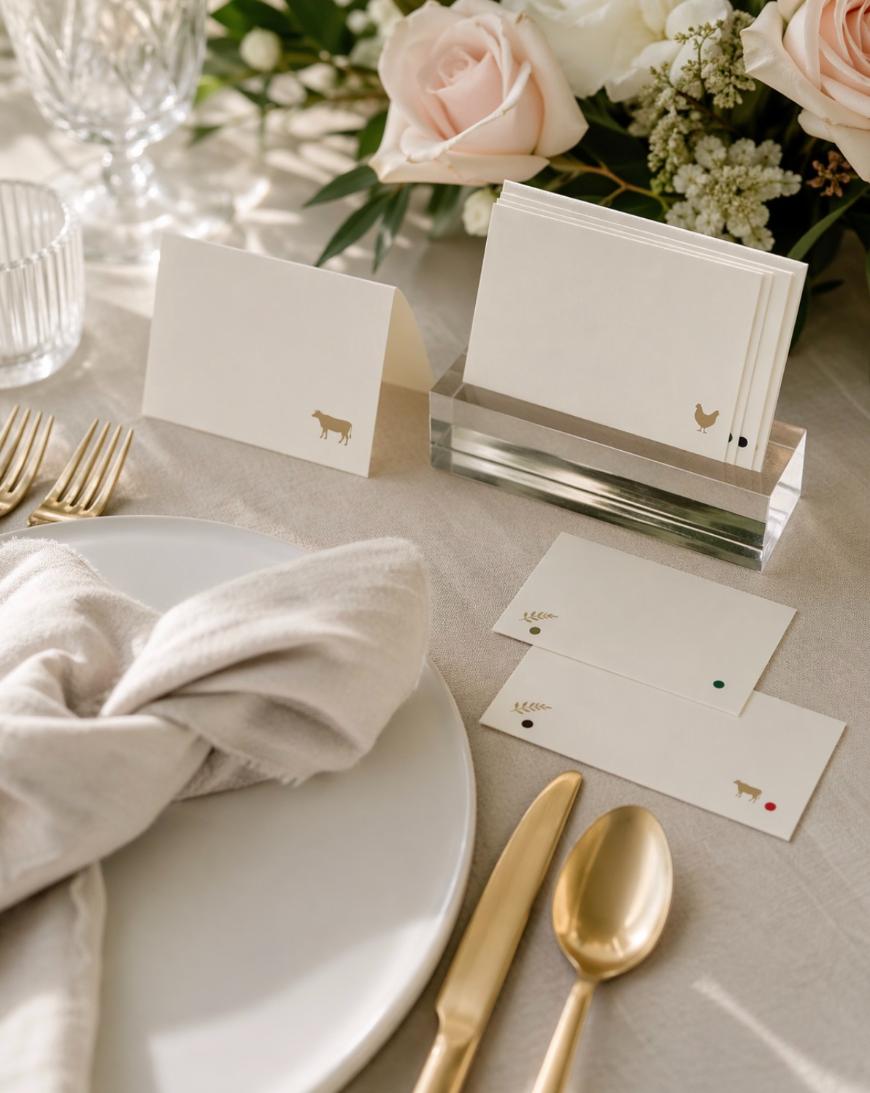
21. Sell A Minimalist Place Card And Escort Card Template Set
Editable place cards save time, and minimalist designs fit almost any wedding theme.
Include options for meal icons or color dots so guests and servers can spot meal choices instantly.
22. Make A Wedding Thank-You Note Writing Guide
People procrastinate thank-you notes, and a writing guide removes friction.
Include 30–50 plug-in examples for common gifts (cash, registry, group gift, attendance-only) so buyers finish faster.
23. Create A Wedding Planner Binder In Digital Form
This is a “printable binder” experience: tabs, checklists, worksheets, and dividers.
Offer a “lite” version (20–30 pages) and a “full binder” (80–120 pages) to hit different price points.
24. Offer A Micro Wedding And Elopement Planning Kit
Small weddings need different priorities: permits, photographer timeline, dinner reservations, and guest communication.
Include a “two-hour ceremony + photos timeline” and a “full-day elopement timeline” so it’s not one-size-fits-all.
25. Create A Vendor Tip And Payment Tracker
Couples get confused about who to tip, when, and how much.
Include a simple rule-of-thumb section and a tracker that lists final payment due dates, so nothing slips.
26. Make A Wedding Decor Mockup Template In Canva
Let couples drag in photos of their venue and test colors, linens, florals, and signage styles.
Add a palette builder with 5–7 color slots so they can keep decisions consistent.
27. Sell A Wedding Budget “Cut Costs” Guide
A digital guide that shows where to trim without making the wedding feel cheap sells well.
Include a numeric target like “find 10 cuts worth $100 each to save $1,000” so it feels actionable.
28. Create A Bridal Beauty Timeline And Routine Tracker
This covers skincare timing, hair color appointments, trial runs, nails, waxing, and tanning schedules.
Add a simple guideline like “schedule trials 6–10 weeks before the wedding” so the plan feels grounded.
29. Offer A Wedding Emergency Kit Checklist
Couples love a peace-of-mind checklist: fashion tape, stain remover, pain reliever, blister pads, safety pins, etc.
Include a “ceremony kit” and “reception kit” version so it’s easy to delegate to different people.
30. Build A Wedding Content Creator Brief Template
More couples hire content creators now, and a brief helps them communicate priorities.
Include fields like “must-film moments,” “no-film moments,” delivery style, and 10 shot examples (like flat lays, dress zip, first look reaction).
How To Choose Which Wedding Digital Product To Launch First
Start With One “Evergreen” Planning Product
Evergreen products stay relevant year-round and don’t depend on trends.
A checklist bundle or budget spreadsheet is usually the safest first bet because every couple needs it.
Pair It With One “Pretty” Product For Pinterest Clicks
Pretty products drive saves and clicks, which helps you sell organically.
Editable signage or invitation suites tend to perform well visually and lead to bundle upsells.
Price With A Simple Three-Tier Structure
A clean structure is $9–$15 for a single template, $17–$29 for a mini bundle, and $39–$79 for a full kit.
This gives buyers an easy “good, better, best” path without you constantly discounting.
Build Variations From One Master Template
You can create multiple listings by changing style, color, and wording while keeping the same structure.
For example, turn one sign set into 5 themes: modern minimalist, romantic floral, boho, black-tie, and beach.
Key Takeaways
Wedding digital product ideas work best when they remove a specific planning headache.
Start with a checklist bundle and a signage or invite product for balance.
Use $9–$79 pricing tiers so you can sell singles and premium kits.
Add versions for micro weddings, short engagements, and different styles.
Make every template editable and include multiple sizes or layouts.
Build bundles because they increase average order value without extra traffic.
FAQ
Can You Sell Wedding Digital Products Without Design Skills?
Yes, you can sell them using clean spreadsheet tools, simple layouts, and strong wording. Start with planners, trackers, and checklists that don’t require advanced graphics.
What File Formats Should You Offer?
The best answer is: offer at least one easy-to-edit format like Canva or Google Docs and one print-ready PDF. This covers both DIY editors and “just let me print it” buyers.
How Do You Avoid Refund Requests?
You avoid refunds by showing clear preview images, listing exact sizes, and stating what software is needed. Include a one-page “how to edit” guide inside the download.
Should You Niche Down Or Go Broad?
Niche down at the product level and go broad at the shop level. For example, sell a “micro wedding kit” and a “black-tie signage set,” then let the shop cover multiple wedding styles.
Artist’s digital products to sell


Leave a Reply